
10 MB
is all the first visit downloads, compressed.
The whole desktop slicer for SLA and MSLA printers: the same Rust code, compiled to WebAssembly. Nothing to install, and your model never leaves your computer.
Version v0.9.0, the same release as the desktop download.
is all the first visit downloads, compressed.
after that: your browser keeps the app and opens it without a connection.
printer profiles from 24 makers, the same as in the desktop app.
Encrust spreads the work over your processor’s cores, just as the desktop app does. In the browser each thread is a web worker, and they all share one block of memory. We timed one plate from the Slice button to the finished file:
| Where it ran | Time |
|---|---|
| Encrust in the browser (Chromium), 7 cores | 1.2 s |
| Encrust desktop app, 7 cores | 0.72 s |
| Encrust desktop app, 1 core | 1.24 s |
A sphere of 998,000 triangles, 60 mm across, on the Elegoo Mars 4 Ultra profile at 0.05 mm layers. One computer with 8 cores, 4 October 2026.
On seven cores the browser is as fast as the desktop app on one.
Many online slicers upload your model and slice it on a server. Encrust works the other way round: this site sends the slicer to your browser, and the slicer works on your files where they are. The finished file comes back to you as a download.
The app’s own security policy lets it talk to encrust.app and nothing else. Your printer and resin profiles are kept in your browser, not in an account.
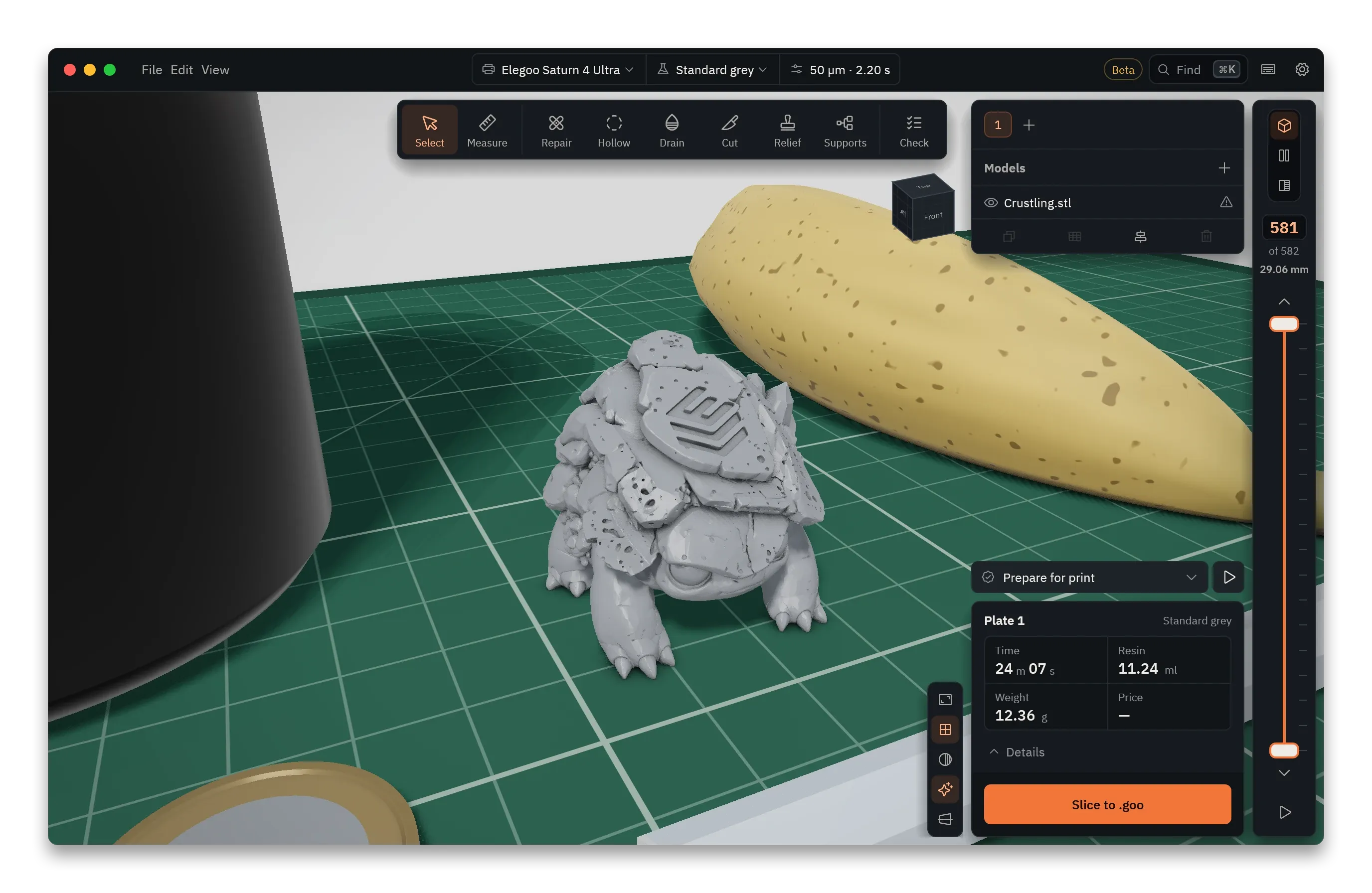
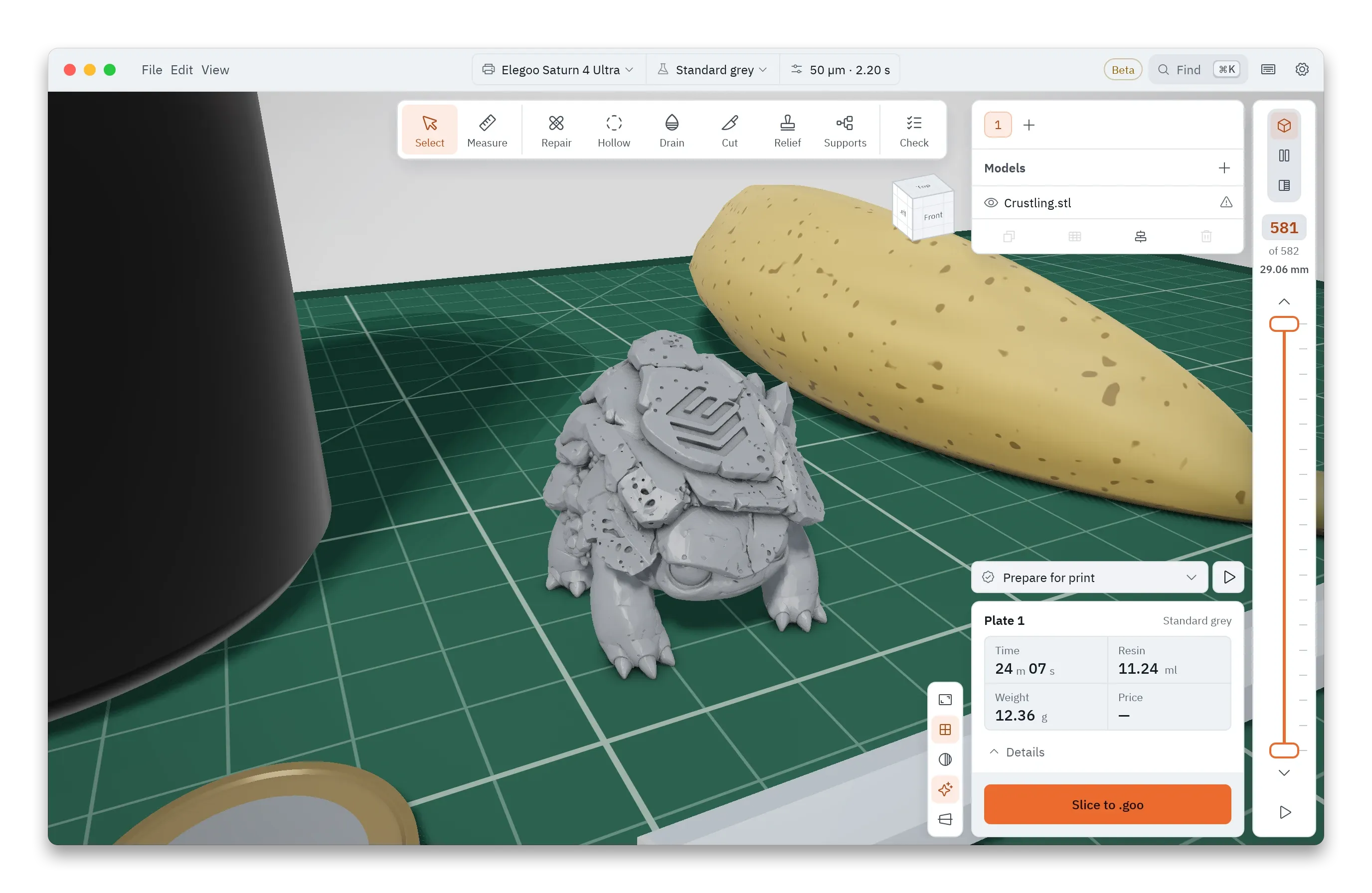
It isn’t a demo. It is the same window as the desktop app:
Updates need nothing from you. A new release downloads in the background and takes over once every tab of the old one is closed.
A computer with a current Chrome, Edge or another Chromium browser, or Safari. We test in Chromium and in WebKit, the engine behind Safari; Firefox, phones and tablets aren’t tested yet. More cores slice faster: Encrust uses all but one.
In Chrome and Edge you can install it from the address bar. It then opens in its own window like any other app.
Yes, after the first visit. Your browser keeps the app, so it opens and slices with no connection. It runs entirely in your browser, and your files stay on your computer.
Yes. It is the same open-source code as the desktop app, under the AGPL-3.0 licence. Slice as much as you like, without signing up or paying.
The same ones as the desktop app, Elegoo, Anycubic, Phrozen, Creality, Prusa, EPAX and FlashForge among them, with the same file formats, such as .goo, .ctb, .pwmx and .sl1.
It needs only a current Chrome, so it should run on a Chromebook without setting up Linux. We haven’t tried one yet. If you do, tell us how it went in Discussions.
The desktop app is faster, sends files straight to SDCP and PrusaLink printers, and hollows very large models more finely. The browser version is for a computer where you can’t or don’t want to install anything, and for trying Encrust in a minute.